

In response to Hanz from Germany writing:
Hi, I am trying out your SeoToaster here in Germany after a suggestion in SeoMoz. I searched through your FAQ and Forum but I cannot find anything about: How to add a contact form?
For all professional sites you need a contact form, so I suggest to install it at preconfigured feature or widget.
Here you go Hanz, sorry we got real busy creating a better, nicer SEO world and did not get to add the tutorial for the form and other things.
- Create a form container through the inline editor
- The form appears in the editor as "{ $form:form-name:captcha }"
- On your page, click on the link "Edit Form Properties".
- Add your HTML code in the form editor (No < form >< /form >) - You can also build web form code for SeoToaster easily with our free web form builder.
- Fill out the required information for the form to work properly
- If you ask for the user's email address (To send a thank you email etc..) this filed's name MUST be "email".
- Voila, no form handler necessary, the system will do it for you.
Build a contact form with SeoToaster
Online Web Form Builder
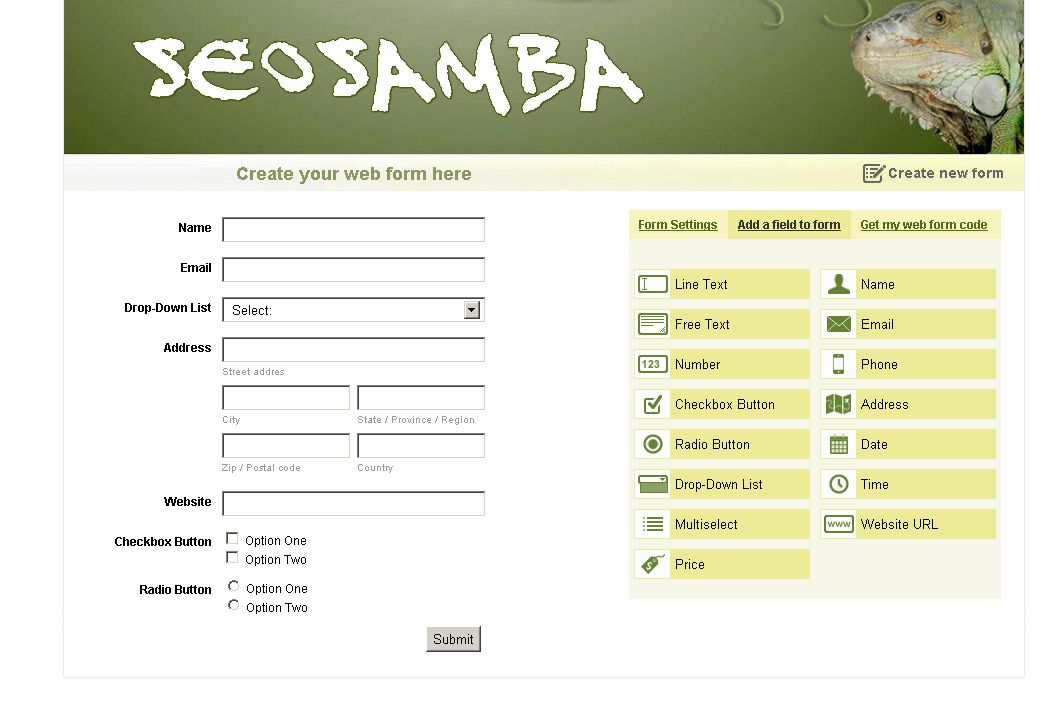
Create your web forms easily thanks to the free online web form builder. Of course, you can use it for your SeoToaster powered projects but you are free to use it for any other projects as well by selecting the proper option under "form settings".